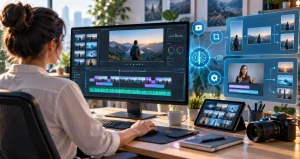
Video editing has become one of the biggest time commitments for YouTube creators. Recording a 20-minute video may take less than an hour, but trimming mistakes, cleaning audio, adding captions, finding B-roll, reframing clips, and creating Shorts can easily turn that recording into several hours of post-production. Modern AI video editing software is useful because it can reduce much of this repetitive work without requiring creators to surrender control over the final video.
The important point is that the best AI video editor is not necessarily the application with the longest list of AI features. For a YouTube creator, the better question is: Which software removes the most tedious work from my particular production process while still letting me control pacing, storytelling, and presentation? A tutorial channel, podcast channel, vlog, and Shorts-focused channel may therefore need completely different tools.
After comparing current editing workflows, AI capabilities, export options, pricing models, and creator-focused features, the strongest choices include Adobe Premiere, DaVinci Resolve, Descript, CapCut, Filmora, VEED, and OpusClip. Each solves a different editing problem particularly well.
Best AI Video Editing Software at a Glance
| Software | Best For | Major AI Strength | Learning Curve |
|---|---|---|---|
| Adobe Premiere | Professional YouTube production | Text editing, media search, masking, generative editing | Medium to High |
| DaVinci Resolve | High-quality editing and color work | Neural Engine tools and intelligent automation | High |
| Descript | Talking-head videos and podcasts | Edit video by editing text | Low |
| CapCut | Shorts and fast social editing | Auto captions and long-video repurposing | Low |
| Filmora | Beginners and intermediate creators | AI-assisted editing in a traditional interface | Low to Medium |
| VEED | Browser-based workflows | Automatic cuts, captions, and audio cleanup | Low |
| OpusClip | Turning long videos into Shorts | Automatic highlight extraction | Very Low |
1. Adobe Premiere
Adobe Premiere remains one of the strongest options for creators who want AI assistance without giving up professional timeline control. Adobe’s current toolset includes Text-Based Editing, automatic transcription, Media Intelligence for finding footage using natural-language descriptions, Enhance Speech, Object Mask, and Generative Extend. Generative Extend can create additional frames or ambient audio when a shot ends slightly too early.
The biggest advantage is not any individual AI button. It is that AI sits inside a mature editing environment. You can automate rough work and still fine-tune individual frames, audio tracks, graphics, color, and transitions afterward. That makes Premiere particularly appropriate for documentaries, product videos, educational channels, reviews, and polished long-form content.
The individual Premiere plan is currently listed at US$22.99 per month with annual billing in the U.S., although prices can vary by location.
2. DaVinci Resolve
DaVinci Resolve is an excellent choice for creators who care about editing quality, color grading, sound, effects, and long-term creative control. Blackmagic Design currently offers DaVinci Resolve 21 for free, while Resolve Studio 21 is listed at US$295. The Studio version adds the DaVinci AI Neural Engine and advanced AI-assisted capabilities.
Resolve is particularly attractive because creators can start with an unusually capable free version rather than immediately committing to a subscription. The tradeoff is complexity. It takes more time to learn than tools such as CapCut or Descript. For someone planning to publish consistently for several years, however, learning Resolve can be a valuable investment because the software does not limit you to simple social-style editing.
3. Descript
Descript approaches video editing differently. It transcribes spoken content and lets you edit the recording by editing the transcript. Delete a sentence from the text and the corresponding portion of the recording can be removed as well. Its AI tools can also remove filler words, improve speech, create clips, and assist with other repetitive editing jobs.
You May Like: AI Video Generators Worth The Monthly Subscription
This workflow is exceptionally useful for interviews, commentary, tutorials, educational videos, podcasts, and screen-recorded content where speech drives the edit. Descript currently offers a free tier, while its listed paid plans provide higher media allowances, additional AI credits, and higher-resolution exports.
For heavily cinematic videos, a conventional timeline editor still provides more control. For creators who spend most of their editing time removing verbal mistakes, Descript can eliminate a surprising amount of manual timeline work.
4. CapCut
CapCut is particularly effective when speed matters. Its current tools include automatic captions, transcript-based editing, automatic scene selection, and long-video-to-short workflows. CapCut can analyze longer footage, identify potential highlights, create vertical clips, generate captions, and allow creators to refine the results before exporting.
This makes it a strong companion to a YouTube channel that publishes both normal videos and Shorts. A creator can finish the primary video and then repurpose selected moments instead of manually building every vertical edit from zero.
CapCut’s paid pricing is region-dependent rather than having one universal global price, so creators should check the subscription page inside their account before comparing costs.
5. Filmora
Filmora is a practical middle ground between simple template-based editors and professional software. Its current creator-focused tools include Smart Short Clips, Smart Scene Cut, speech-to-text, text-to-speech, AI video enhancement, AI music features, and conventional timeline editing.
That combination makes Filmora suitable for creators who want AI automation but still prefer a recognizable drag-and-drop timeline. Its interface generally requires less technical learning than professional post-production software. This can be valuable for creators whose priority is publishing consistently rather than mastering advanced color, compositing, or audio workflows.
You May Like: Best AI Logo And Branding Software For Startups
6. VEED
VEED is useful for creators who prefer working in a browser instead of managing a large desktop editing application. Its editor combines captions, automatic audio cleanup, background tools, text-based editing, collaboration features, and Magic Cut. Magic Cut can automatically remove unnecessary pauses, filler words, mistakes, and silence from spoken videos.
The main appeal is convenience. A creator producing tutorials, presentations, interviews, or social videos can move from upload to edited content without building a complicated post-production setup. For highly layered projects with extensive effects, a desktop editor is still the stronger choice.
7. OpusClip
OpusClip should be viewed less as a complete replacement for a traditional editor and more as a specialized repurposing tool. It analyzes longer videos and creates shorter clips suitable for platforms such as YouTube Shorts. Current features include AI clipping, animated captions, filler and silence removal, automatic reframing, and social publishing options depending on the plan.
This is particularly valuable for podcasters, interview channels, educators, and creators with an existing library of long-form videos. Instead of searching through a one-hour recording manually, creators can use AI to produce candidate clips and then review which ones genuinely make sense as standalone content.
How to Choose the Right AI Video Editor?
Do not choose software based only on how many AI features appear on its product page. Start by identifying where your editing time actually disappears. If detailed timeline work consumes your schedule, Premiere or Resolve makes sense. If removing spoken mistakes is the bottleneck, Descript may produce a bigger productivity improvement. If creating Shorts takes too long, CapCut or OpusClip could solve the more important problem.
A good AI workflow should also remain reviewable. Automatic captions can misunderstand names. Automated highlight tools can select a dramatic sentence without enough context. Silence removal can make natural speech feel rushed. Treat the AI-generated edit as a strong first draft, then make the final editorial decisions yourself.
Frequently Asked Questions
1. What is the best AI video editing software for YouTube?
Adobe Premiere is the strongest overall choice for creators who need both AI automation and detailed professional control. However, there is no universal winner. Descript may be better for speech-heavy channels, while CapCut may be more efficient for creators focused heavily on Shorts.
2. What is the best free AI video editor for YouTube?
DaVinci Resolve is one of the most capable free options for serious editing. Its free version provides professional editing, color, audio, and effects tools. Some advanced AI features are reserved for Resolve Studio, so creators should compare the exact feature they need before upgrading.
3. Can AI completely edit a YouTube video automatically?
AI can automate rough cuts, captions, silence removal, reframing, audio cleanup, and highlight selection, but fully automatic editing is not always desirable. Good YouTube editing also depends on context, pacing, humor, emphasis, brand style, and knowing what the audience actually needs to see.
4. Which AI editor is easiest for beginners?
CapCut, Descript, Filmora, and VEED are among the easier options. Descript is especially approachable for spoken content because editing resembles working with a text document. Filmora is useful for beginners who want to learn a more conventional timeline without immediately moving into complex professional software.
5. Which software is best for automatically creating YouTube Shorts?
CapCut and OpusClip are particularly well suited to this job. Both can help transform longer footage into short clips. The generated results should still be reviewed because the strongest moment inside a long video is not always the strongest standalone story.
6. Is Premiere better than DaVinci Resolve for YouTube?
Neither is automatically better. Premiere provides a mature ecosystem and increasingly integrated AI workflow, while Resolve combines editing, color, visual effects, and audio in one powerful application and offers an impressive free version. The better choice depends on workflow, budget, existing skills, and project complexity.
7. Can AI remove pauses and filler words from videos?
Yes. Tools such as Descript and VEED can identify spoken-content issues and automate parts of the cleanup process. VEED’s Magic Cut, for example, is designed to remove silences, filler words, mistakes, and awkward pauses. Review the result afterward so natural conversational timing is preserved.
8. Is AI video editing suitable for long-form YouTube videos?
Yes, and long-form creators may benefit the most because repetitive tasks become more expensive as recording length increases. Transcription, footage search, speech cleanup, caption creation, and rough-cut automation can save significant editing effort before the creator begins detailed polishing.
9. Do YouTube creators still need editing skills when using AI?
Yes. AI reduces mechanical work, but editing decisions remain important. Creators still need to understand pacing, story structure, audio quality, visual continuity, and audience expectations. Learning these fundamentals also makes it easier to recognize when an automated suggestion weakens rather than improves a video.
10. Should a new YouTube creator pay for an AI video editor?
Not necessarily. A new creator should first develop a repeatable publishing workflow and identify genuine editing bottlenecks. Free software can be sufficient at the beginning. A paid AI tool becomes easier to justify when its time savings allow the creator to publish more consistently or noticeably improve production quality.
Conclusion
The best AI video editing software for YouTube creators depends on what you want AI to remove from your workflow. Adobe Premiere is the strongest all-round professional option, while DaVinci Resolve offers exceptional editing depth and a powerful free version. Descript is excellent for spoken videos, CapCut and OpusClip simplify short-form repurposing, Filmora provides an approachable middle ground, and VEED makes browser-based production convenient.
The most sustainable approach is to let AI handle repetitive production work while keeping storytelling decisions human. The software that saves you the most time without taking away the control your channel needs is ultimately the best AI video editor for you.